Office Design Mistakes That Reduce Workspace Efficiency

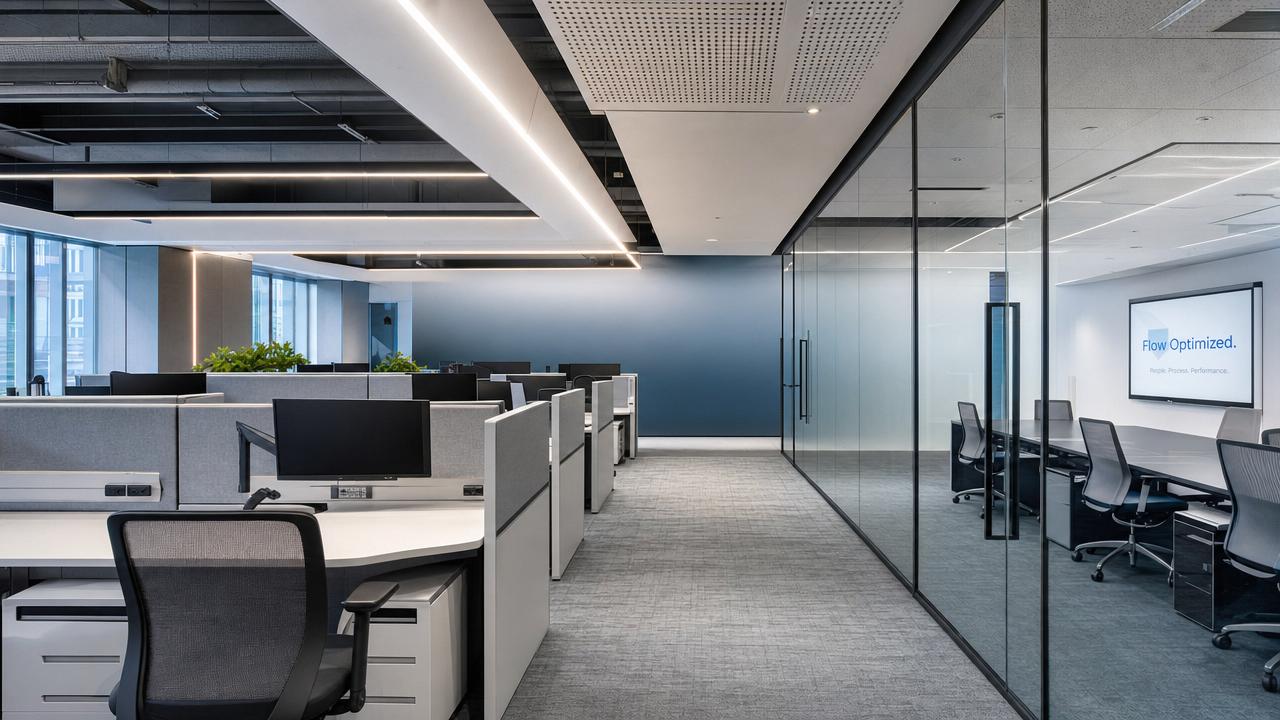
Effective office design is more than arranging desks and choosing finishes—it directly shapes productivity, collaboration, and long-term operational efficiency. For project managers and engineering leads, overlooking layout flow, ergonomics, lighting, or technology integration can create costly friction after handover. This article examines common office design mistakes that reduce workspace efficiency and highlights practical considerations for building smarter, more adaptable, and performance-driven work environments.
Why Office Design Decisions Become Operational Risks After Handover
Many project teams treat office design as a visual deliverable, yet the real test begins when people occupy the space. Circulation bottlenecks, noisy collaboration zones, and poorly planned storage become daily performance issues.
For project managers, the challenge is not only completing the fit-out on schedule. It is aligning office design choices with workflow, maintenance, procurement limits, compliance requirements, and future organizational change.
The hidden cost of design mistakes
- Reduced focus time when open areas, meeting rooms, and support spaces are not acoustically separated.
- Lower space utilization when desks are assigned without matching actual attendance patterns or hybrid work ratios.
- Higher rework costs when electrical, data, lighting, and HVAC points cannot support later furniture changes.
- User dissatisfaction when ergonomic furniture is selected by appearance rather than body support, adjustability, and task duration.
GLC evaluates office design through both aesthetic quality and industrial logic. That means looking beyond surface style and examining materials, furniture craftsmanship, supply chains, standards, and daily usability.
Mistake 1: Planning Layouts Around Furniture Instead of Workflow
A common office design mistake is starting with workstation quantity, then forcing departments into the remaining space. This approach may look efficient on a drawing, but it often disrupts real business processes.
Engineering, procurement, sales, finance, and creative teams usually need different levels of privacy, collaboration, document access, equipment proximity, and visitor control. One generic layout rarely supports all functions well.
Workflow mapping before space allocation
- Identify teams that exchange information frequently and place them within short walking distance.
- Separate high-concentration work from visitor routes, pantry areas, printer zones, and active meeting spaces.
- Reserve flexible space for project war rooms, sample reviews, temporary contractors, or peak delivery periods.
- Check whether circulation routes remain clear when storage cabinets, lounge seating, and mobile whiteboards are added.
Good office design begins with activity analysis. Furniture should support the work pattern, not dictate it. This is especially important in multi-industry organizations managing product development, sourcing, and cross-functional projects.
Mistake 2: Ignoring Ergonomics Until Complaints Appear
Ergonomics is often reduced to chair selection, but efficient office design includes desk height, monitor position, lighting angle, floor finish, movement space, and the duration of seated work.
For engineering leads, ergonomic mistakes can become measurable productivity losses. Employees adjust their posture, avoid certain workstations, or spend more time away from desks because the environment does not support sustained work.
The following table provides practical ergonomic and workspace parameters that project managers can use during office design review, supplier comparison, and mock-up evaluation.
These checkpoints should be tested through sample workstations before bulk procurement. A small mock-up can reveal office design problems that drawings and catalog images cannot show.
Mistake 3: Treating Acoustics as a Decoration Issue
Noise is one of the most underestimated office design risks. Open collaboration areas may encourage communication, but uncontrolled sound can damage concentration, confidentiality, and meeting quality.
Acoustic planning should consider ceilings, partitions, upholstery, carpets, workstation screens, door seals, and equipment noise. GLC’s cross-sector view is useful here because textiles and office furnishing materials directly influence sound absorption.
Where acoustic mistakes usually happen
- Meeting rooms are placed beside focused workstations without adequate partition performance.
- Hard flooring and exposed ceilings are selected for visual effect but create excessive reverberation.
- Phone booths are added too late, leaving teams to take calls in corridors or informal lounges.
- Copy areas, coffee points, and visitor waiting zones are positioned near concentration-based teams.
Efficient office design does not require silence everywhere. It requires zoning: quiet focus, moderate teamwork, confidential meetings, social interaction, and support operations should each have suitable acoustic treatment.
Mistake 4: Selecting Materials Without Maintenance and Supply Chain Logic
A finish may look attractive during presentation but perform poorly under daily traffic. Project managers should evaluate office design materials by durability, cleanability, replacement availability, and environmental requirements.
This is where craftsmanship and manufacturing intelligence matter. Surface fabrics, laminates, metal hardware, leather alternatives, and modular furniture systems all have different maintenance cycles and procurement risks.
The comparison below helps teams connect office design aesthetics with lifecycle performance, especially when budgets are limited and replacement disruption must be minimized.
Material decisions should be reviewed with procurement, facility management, and end users. A balanced office design protects visual identity while reducing maintenance surprises.
Mistake 5: Underestimating Technology Integration and Future Change
Modern office design depends on technology infrastructure. Power access, network points, room booking systems, video conferencing, sensors, and charging zones must be planned before furniture is finalized.
When technology is added after construction, cables become visible, meeting rooms fail to support hybrid collaboration, and facility teams spend more time solving avoidable operational problems.
Technology questions before procurement approval
- Can each workstation support laptops, monitors, mobile charging, and future device changes without unsafe cable routing?
- Do meeting rooms support camera sightlines, microphone coverage, screen visibility, and acoustic control?
- Can furniture be relocated without major electrical or data rework during team expansion?
- Are access control, visitor management, and confidential zones coordinated with the office design layout?
Flexible office design does not mean buying every smart device. It means creating a reliable technical backbone that allows the workplace to evolve without expensive reconstruction.
How to Compare Office Design Options Under Budget Pressure
Project managers often face a familiar conflict: leadership wants a premium workplace, users want comfort, procurement wants cost control, and the construction schedule leaves little room for redesign.
A practical office design evaluation should rank options by total value, not only initial purchase price. Installation risk, maintenance, reconfiguration cost, and supplier reliability all affect the final outcome.
Use this decision table when comparing office design proposals, furniture packages, and fit-out alternatives across different suppliers or project phases.
This structure makes office design decisions easier to defend. It also helps procurement teams avoid selecting the cheapest option when that option increases operational risk.
Compliance and Standards That Should Not Be Left to the End
Compliance is not only a final inspection topic. Office design decisions affect fire safety, accessibility, indoor air quality, lighting levels, material emissions, and workplace health expectations.
Requirements vary by country and project type, so teams should confirm local codes with qualified professionals. However, several general categories should appear in every office design checklist.
Key compliance review areas
- Fire routes, exit widths, emergency lighting, and furniture placement should remain consistent with local life-safety requirements.
- Accessibility planning should consider routes, door clearances, meeting rooms, reception counters, and adjustable work settings.
- Material selection may need evidence of low emissions, responsible sourcing, or environmental declarations depending on project goals.
- Lighting and visual comfort should support screen work, document review, and collaborative presentation areas.
Internationally recognized frameworks such as ISO management systems, WELL principles, LEED concepts, and local building codes can guide office design discussions, but project-specific verification remains essential.
Implementation Checklist for Project Managers and Engineering Leads
The most efficient office design process connects strategy, technical coordination, procurement, and user validation. Skipping any stage increases the chance of late-stage changes and budget pressure.
Recommended execution sequence
- Define business goals, headcount assumptions, hybrid work policy, visitor patterns, and storage needs.
- Map department workflows before confirming workstation counts, meeting room quantities, or collaboration zones.
- Review materials, furniture samples, ergonomic details, acoustic treatments, and technical interfaces together.
- Coordinate office design drawings with MEP, IT, fire safety, security, and facility maintenance teams.
- Approve mock-ups before mass production, especially for workstations, meeting rooms, and executive areas.
- Prepare a post-occupancy review plan to track complaints, utilization, repair needs, and future improvements.
This sequence helps teams control risk without slowing the project unnecessarily. It also gives stakeholders a clearer basis for approving office design changes when trade-offs are unavoidable.
FAQ: Practical Questions About Office Design Efficiency
How early should office design be involved in a fit-out project?
Office design should be involved before MEP and IT points are frozen. Early coordination prevents conflicts between furniture layouts, power access, lighting positions, air distribution, and meeting room technology.
What is the most common mistake in open-plan office design?
The most common mistake is assuming openness automatically improves collaboration. Without acoustic zoning, focus rooms, and clear team neighborhoods, open-plan office design can increase interruptions and reduce deep work.
How can teams balance budget and ergonomic quality?
Prioritize adjustable chairs, suitable desk dimensions, monitor support, and lighting before decorative upgrades. Ergonomic office design affects daily productivity, while many visual enhancements can be phased in later.
What should be checked before approving office furniture suppliers?
Check drawings, material specifications, sample quality, lead times, replacement part availability, installation responsibilities, and maintenance instructions. Office design success depends heavily on supplier execution consistency.
Why Choose GLC for Smarter Office Design Decisions
GLC connects global aesthetics with craftsmanship intelligence across office furnishing, textiles, materials, and space architecture. Our value is not limited to trend observation; we analyze how design choices perform in real supply chains.
For project managers and engineering leads, GLC can support office design decision-making with practical insight into material selection, ergonomic priorities, acoustic planning, supplier comparison, sustainability considerations, and delivery risks.
Consult us when you need clearer answers
- Parameter confirmation for workstations, chairs, lighting, acoustic panels, and flexible collaboration areas.
- Product selection support when comparing office design solutions from multiple furnishing or material suppliers.
- Delivery cycle review for phased fit-out projects, sample approval, procurement timing, and installation coordination.
- Custom solution discussion for hybrid workplaces, project command centers, showrooms, and multi-functional office environments.
- Certification and compliance clarification related to material performance, environmental goals, and local project requirements.
- Quotation communication support when teams need to compare lifecycle value instead of only upfront price.
A productive workplace is built through informed choices. If your next office design project must balance schedule, budget, user comfort, and operational efficiency, GLC can help you ask the right questions before costly mistakes are built in.